The Definitive Guide to Content Freshness: Why Updating Old Posts is the Ultimate SEO Growth Hack
Learn why content freshness is a critical ranking factor. Discover how updating old blog posts can increase organic traffic by over 100% with our expert guide.
The Definitive Guide to Content Freshness: Why Updating Old Posts is the Ultimate SEO Growth Hack
In the world of SEO, there is a common misconception that the only way to grow organic traffic is to publish more content. Marketing teams often find themselves on a "content treadmill," sprinting to produce three new articles a week while their existing library of 200+ posts sits gathering digital dust.
Here is the reality: Your old content is likely your greatest untapped asset.
According to industry benchmarks, HubSpot found that by "historically optimizing" their blog—refreshing old posts rather than just publishing new ones—they increased monthly organic search views by an average of 106%.
This isn't magic; it’s a calculated response to how search engines perceive value. In this guide, we will explore the science of content freshness, why Google rewards it, and a step-by-step framework for reviving your decaying rankings.
Understanding the "Freshness" Ranking Factor
Google’s obsession with freshness isn't new. It dates back to the 2011 "Freshness Update," which impacted roughly 35% of search queries. However, not every search requires the same level of freshness. Google uses a mechanism known as Query Deserved Freshness (QDF) to determine when to prioritize recent content.
1. The QDF Spectrum
Google categorizes queries based on how much "newness" matters to the user:
- Recent Events and Hot Topics: Breaking news, natural disasters, or political shifts require up-to-the-minute updates.
- Regularly Recurring Events: Annual conferences, sports scores, or "Best of 2024" lists need seasonal refreshes.
- Frequent Updates: Technology reviews, regulatory compliance guides, and market analysis demand regular monitoring to remain accurate.
2. The "Caffeine" Infrastructure
Google’s Caffeine indexing system allows the search engine to crawl and index content in near real-time. When you update a page, Google notices the change in the "last modified" date and the substance of the text. If the update provides better value or more current data, the algorithm often rewards the page with a visibility boost.
Why Updating Beats Starting Over
If you have a post from 2021 that is currently ranking on page two, you are in a much better position than if you were to write a brand-new post from scratch. This is due to two primary factors:
The Backlink Advantage
An old post has already accumulated "link equity." It likely has internal links pointing to it and, hopefully, external backlinks from other websites. When you update the content, you are leveraging that existing authority. A new post starts with zero authority and must fight an uphill battle to earn its first backlink.
The Data Advantage
You already have data on what works. By looking at Google Search Console, you can see exactly which keywords the old post is "trying" to rank for. You can then optimize the refresh to target those specific terms, whereas a new post involves a degree of guesswork.
How to Identify "Decaying" Content
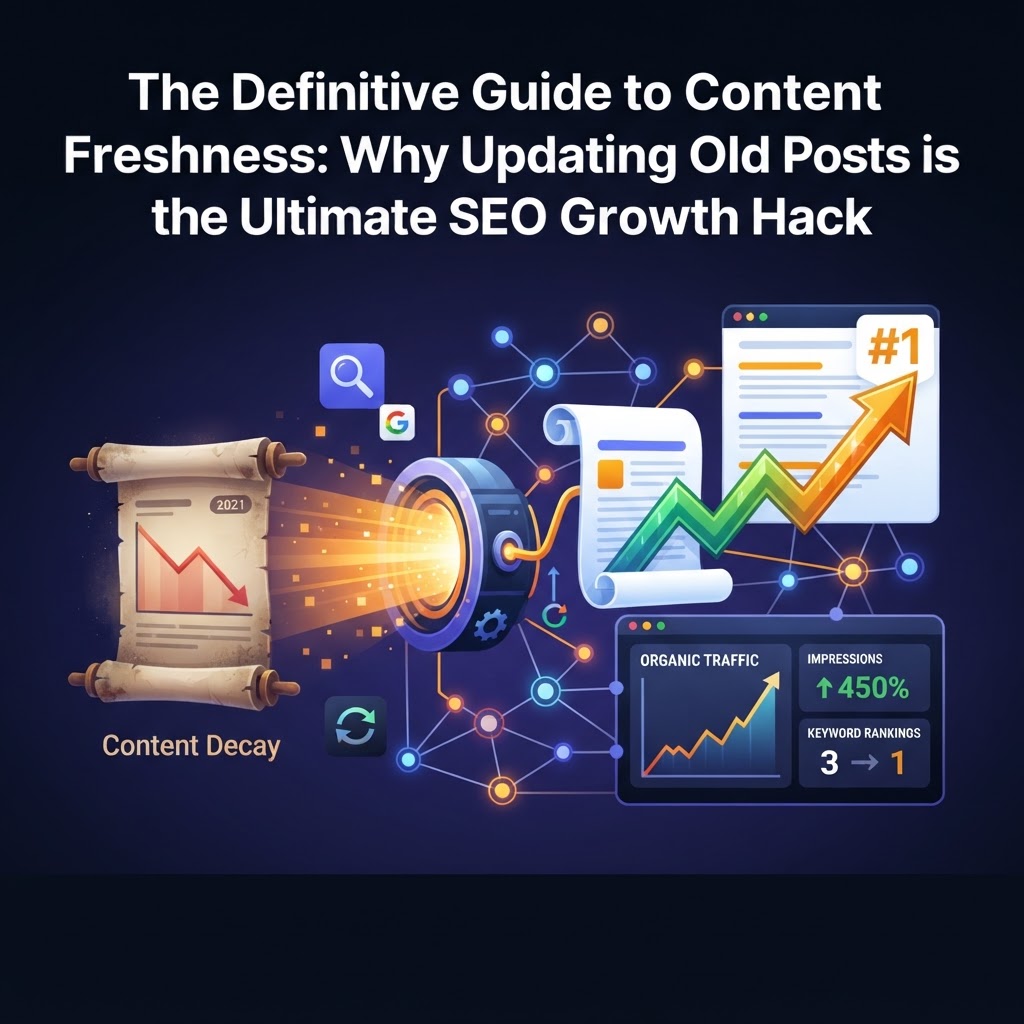
You shouldn't update every post on your site. To maximize ROI, you need to target pages that are suffering from Content Decay—the predictable decline in organic traffic over time as competitors publish newer, better resources.
The Content Audit Framework
- Identify the "Stuck" Pages: Use Google Search Console to find pages ranking in positions 4–15. These are your "low-hanging fruit." A fresh update can often push these into the top 3.
- Spot the Traffic Drop: Look for pages that had a peak in traffic 12–18 months ago but have seen a steady 20-30% decline since.
- Check for Outdated Intent: Search for your target keyword. If the current Search Engine Results Page (SERP) features videos and lists, but your post is a 3,000-word wall of text, your content no longer matches user intent.
The "Meaningful Update" Framework: A Step-by-Step Guide
Simply changing the date on a post is not enough. In fact, Google has become adept at spotting "date-swapping" without substantive changes, which can lead to a loss of trust. To see a ranking boost, you must provide a meaningful update.
Step 1: Update Statistics and Facts
Nothing kills credibility faster than a post citing "2019 marketing statistics." Replace old data points with the most recent findings. If you are writing about technology or software, ensure the screenshots reflect the current user interface.
Step 2: Improve the Content Structure (H2s and H3s)
Modern SEO requires clear hierarchy. Break up long paragraphs and use descriptive subheadings.
- H1: The main title (include the current year).
- H2: Major subtopics.
- H3: Supporting details or specific steps.
Step 3: Add an "AI-Ready" Summary
With the rise of Search Generative Experience (SGE) and AI Overviews, search engines look for concise answers. Add a 200-word summary or a "Key Takeaways" box at the top of your post. This increases your chances of being cited by AI search engines.
Step 4: Refresh the Media
Google loves "rich" content. Replace low-resolution images, add a relevant video, or include a custom infographic. Fresh media signals to Google that the page is being actively maintained.
Step 5: Optimize Internal and External Links
- Internal: Link to newer articles you’ve written since the original post was published.
- External: Check for broken links. Replace links to old resources with links to authoritative, recent studies.
- Backlinks: If you need to bolster the authority of a refreshed post, tools like AAA Backlinks can help you scale your link-building strategy by identifying high-quality opportunities that complement your updated content.
Freshness in the Age of Generative AI
As AI-driven search becomes the norm, freshness is no longer just about ranking—it’s about visibility. AI models like ChatGPT and Perplexity prioritize recent data to ensure their answers are accurate.
Research from Ahrefs suggests that fresh content is more likely to be cited in AI Overviews because these systems are programmed to avoid hallucinating based on outdated information. If your guide to "SEO Best Practices" hasn't been updated since the launch of GPT-4, AI search engines will likely bypass you in favor of a competitor who updated their post last month.
Common Pitfalls to Avoid
- Changing the URL: Never change the URL slug unless it is absolutely necessary. If you do, you must implement a 301 redirect to preserve your link equity.
- Over-Optimizing: Don't just stuff new keywords into the text. Focus on readability and user value first.
- Ignoring the Meta Description: A fresh meta description that mentions the current year can significantly improve your Click-Through Rate (CTR), even if your position stays the same.
Key Takeaways
- Freshness is a confirmed ranking factor, particularly for queries that are time-sensitive or industry-specific.
- Historical optimization (updating old posts) can double your organic traffic with significantly less effort than creating new content.
- Focus on "Low-Hanging Fruit": Prioritize updates for pages ranking on the bottom of page one or the top of page two.
- Substance over Dates: Google rewards meaningful changes—updated stats, new sections, and improved media—not just a change in the "Published On" date.
- AI Visibility: Keeping content fresh is the best way to ensure your brand is cited in AI-generated search results.
Frequently Asked Questions
1. How often should I update my old blog posts?
For evergreen content, a deep refresh every 12–18 months is usually sufficient. However, for high-competition keywords or fast-moving industries (like tech or finance), you may need to review your top-performing posts every 6 months to ensure they remain accurate.
2. Should I change the "Published Date" or the "Updated Date"?
It is best practice to display the "Last Updated" date. This tells both users and search engines that the content is current. Most modern WordPress themes allow you to show the updated date automatically. Only change the original publish date if the post has been 80-90% rewritten.
3. Will updating a post ever cause my rankings to drop?
If you remove large sections of text that were previously ranking for long-tail keywords, you might see a temporary dip. To avoid this, always check your "Keywords" report in Search Console before deleting content to ensure you aren't removing the very phrases that are driving your traffic.
Tags