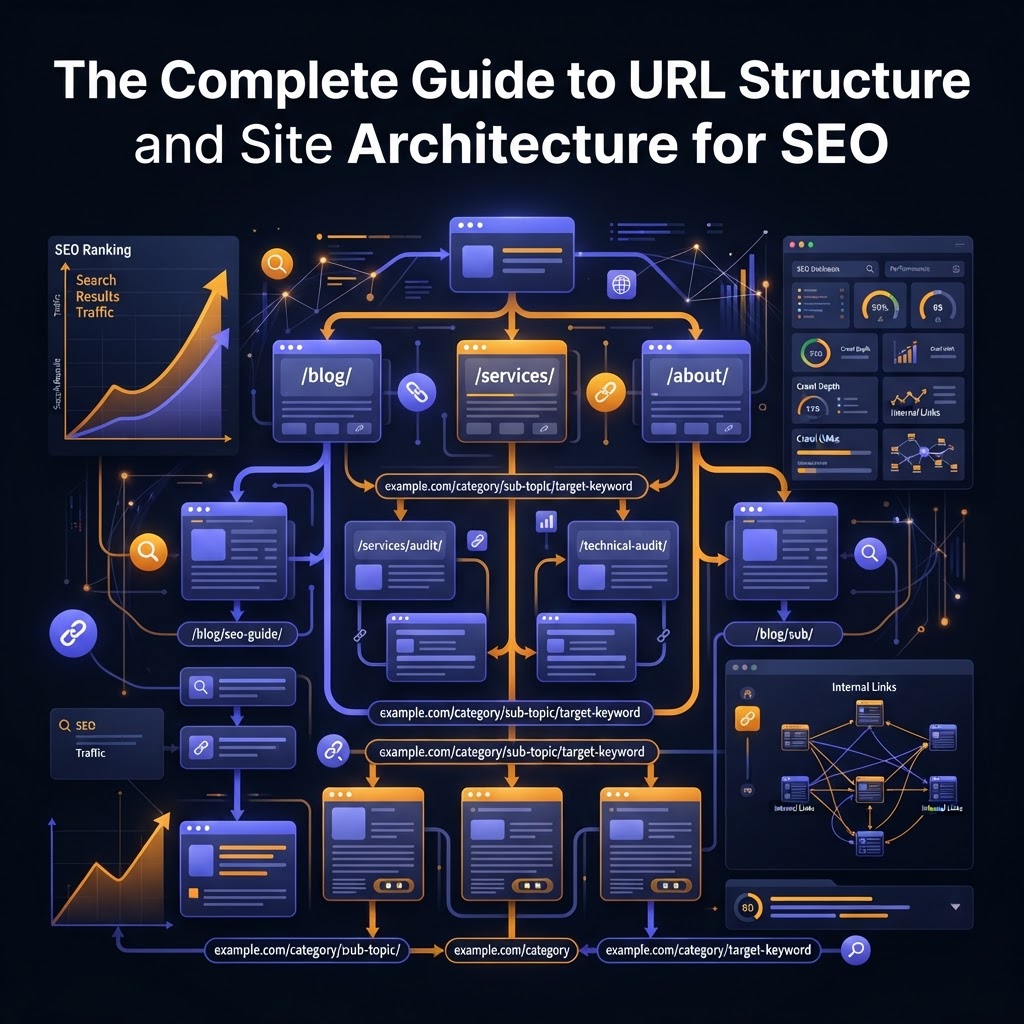
The Complete Guide to URL Structure and Site Architecture for SEO
Master the foundations of SEO with our definitive guide to site architecture and URL structure. Learn how to build a site that ranks, scales, and converts.
The Complete Guide to URL Structure and Site Architecture for SEO
In the world of SEO, content is often called "king," and backlinks are the "currency." But if content and links are the lifeblood of your website, site architecture is the skeleton. Without a strong, logical frame, your website will struggle to support the weight of your growth, and search engines will have a difficult time understanding what your business actually does.
Many site owners treat URL structure and site hierarchy as an afterthought. However, these technical foundations determine how Google crawls your site, how link equity (PageRank) flows through your pages, and how easily users can find what they need.
This guide will walk you through the principles of building a high-performance site architecture and an SEO-friendly URL structure from the ground up.
1. What is Site Architecture (and Why Does It Matter?)
Site architecture refers to how your website’s pages are organized and linked together. It is the blueprint of your digital home. A well-optimized architecture serves two primary masters:
- Search Engine Crawlers: Bots like Googlebot follow links to discover new pages. If your site is a maze, the bots get lost, leading to indexing issues.
- Users: A logical structure ensures that a visitor looking for "men's running shoes" doesn't end up in the "hiking gear" section by mistake.
The "Flat" Architecture Principle
One of the most critical rules in SEO is the 4-Click Rule. Industry data suggests that for optimal crawlability, every page on your site should be reachable within four clicks or fewer from the homepage.
A "flat" architecture ensures that link authority flows efficiently from your homepage (usually your most authoritative page) to your deepest subpages. Conversely, a "deep" architecture buries content so far down that search engines may rarely crawl it, and users will likely never see it.
2. The Power of Siloing and Topic Clusters
To build topical authority, you must group related content together. This is often referred to as Siloing.
How to Build a Silo Structure
Siloing involves creating distinct categories for your content so that search engines can easily identify your site's core themes. For example, an e-commerce site selling outdoor gear might use the following hierarchy:
- Homepage
- Category: Camping Gear
- Sub-category: Tents
- Sub-category: Sleeping Bags
- Category: Hiking Apparel
- Sub-category: Boots
- Sub-category: Jackets
- Category: Camping Gear
By grouping "Tents" under "Camping Gear," you send a clear signal to Google that these pages are topically related. This relevance is reinforced through internal linking—linking between pages within the same silo to keep the "topical juice" contained.
Topic Clusters and Pillar Pages
In modern SEO, this is often executed through Pillar Pages. A pillar page is a comprehensive guide on a broad topic (e.g., "The Ultimate Guide to Digital Marketing"). You then create "cluster" pages that dive deep into specific sub-topics (e.g., "SEO Tips," "PPC Strategy," "Email Marketing"). All cluster pages link back to the pillar, creating a powerful web of relevance.
3. URL Structure Best Practices
Your URL is the first thing both a user and a search engine see. A clean, descriptive URL can improve your Click-Through Rate (CTR) and provide a minor ranking boost.
The "Billboard Test"
Ask yourself: If your URL were on a billboard and you drove past it at 60 mph, would you know what the page is about?
- Bad URL:
example.com/p=12345?cat=9 - Good URL:
example.com/camping-gear/waterproof-tents
Key Rules for SEO-Friendly URLs:
- Use Hyphens, Not Underscores: Google treats hyphens (
-) as spaces, whereas underscores (_) are seen as part of the word.best-running-shoesis readable;best_running_shoesis not. - Keep it Short: While Google can process long URLs, shorter URLs (3–5 words) are easier to share and remember. Research from Ahrefs and Backlinko consistently shows that shorter URLs tend to rank better.
- Include Your Primary Keyword: Place your target keyword in the URL slug to reinforce the page's topic.
- Avoid Dates and Numbers: Unless you are a news site, avoid putting dates in your URLs (e.g.,
/2023/best-laptops/). This makes your content look dated and requires a URL change (and a redirect) when you update the post for the new year.
4. Subfolders vs. Subdomains: The Eternal Debate
When expanding your site, you often have to choose between a subfolder (example.com/blog) or a subdomain (blog.example.com).
For SEO purposes, subfolders are almost always the better choice.
Google often treats subdomains as separate entities from the root domain. This means the "authority" you build on your main site doesn't always flow to your subdomain. By using subfolders, you consolidate all your link equity under one roof, making it easier for new pages to rank. Tools like AAA Backlinks or Ahrefs can help you audit your current backlink profile to see how authority is distributed across your folders.
5. Internal Linking and Navigation
Internal links are the glue that holds your site architecture together. They distribute PageRank and help Google understand the hierarchy of your pages.
Breadcrumbs
Breadcrumbs are small text paths usually found at the top of a page (e.g., Home > Resources > SEO Guide). They are excellent for UX because they show users exactly where they are. For SEO, they provide clear internal linking paths and can even appear in Google’s search results, improving your snippet's appearance.
Navigation Menus
Your main navigation should include your most important "money pages" or category hubs. However, avoid "mega-menus" that link to hundreds of pages at once. This can dilute the authority passed to each link and overwhelm the user.
6. Technical Considerations for Site Structure
- HTTPS: Security is a confirmed ranking factor. Ensure your entire architecture sits on a secure protocol.
- Canonical Tags: If you have similar content (common in e-commerce with filters), use canonical tags to tell Google which version of the URL is the "master" copy.
- XML Sitemaps: A sitemap is a roadmap for search engines. Ensure it is updated automatically and submitted to Google Search Console.
- 301 Redirects: If you must change your URL structure, always use 301 redirects to pass the existing link equity to the new URL. As noted by AAA Backlinks, failing to redirect properly can lead to broken links and lost rankings.
Key Takeaways
- Keep it Flat: Ensure every page is reachable within 4 clicks from the homepage.
- Use Silos: Group related content into categories to build topical authority.
- Optimize Slugs: Use short, keyword-rich URLs separated by hyphens.
- Prefer Subfolders: Keep your content on the main domain to consolidate link equity.
- Internal Link Strategically: Use breadcrumbs and logical navigation to guide bots and users.
Frequently Asked Questions (FAQ)
Q: Should I change my existing URL structure if it’s not perfect?
A: Only if the current structure is causing significant indexing issues. Changing URLs requires 301 redirects, which always carries a small risk of temporary ranking fluctuations. If your site is already ranking well, it’s often better to leave the URLs as they are and focus on improving internal linking.
Q: How many categories should my website have?
A: There is no magic number, but aim for 2 to 7 main categories. If you have too many, your site becomes shallow; too few, and your categories become cluttered. Use sub-categories to organize larger volumes of content.
Q: Does URL structure affect mobile SEO?
A: Yes. On mobile devices, screen real estate is limited. Clean, short URLs are easier for users to read in the browser bar and are more likely to be clicked when shared via messaging apps or social media.
Tags