The Complete Guide to Technical SEO Audits: A Masterclass for 2025
Master technical SEO with our definitive guide. Learn how to audit crawlability, site speed, and architecture to boost your rankings and search visibility.
The Complete Guide to Technical SEO Audits: A Masterclass for 2025
In the world of search engine optimization, content may be king, but technical SEO is the castle. Without a sturdy foundation, even the most brilliant content will struggle to rank. A technical SEO audit is the process of checking the technical aspects of your website to ensure it meets the requirements of modern search engines and provides a seamless experience for users.
Despite its importance, many websites are falling behind. According to recent data, only 54.6% of websites meet the Core Web Vitals thresholds set by Google. This guide will walk you through a comprehensive, step-by-step framework to ensure your site isn't part of that statistic.
Phase 1: Crawlability and Indexability
Before Google can rank your content, it must be able to find it (crawling) and store it in its database (indexing). If your technical foundation is broken here, nothing else matters.
1. Check Your Robots.txt File
The robots.txt file tells search engines which pages they can and cannot request from your site. A common mistake is accidentally blocking important CSS or JavaScript files, which prevents search engines from fully understanding your page layout.
- Action: Ensure your
robots.txtisn't blocking critical folders. Use the Google Search Console "Robots.txt Tester" to verify. - Pro Tip: Avoid blocking external resources that your site relies on, as this can hinder the rendering process How to Perform a Technical SEO Audit: A 10-Step Guide (2024).
2. Optimize Your XML Sitemap
Your sitemap is a roadmap for Google. It should only include "clean" URLs—pages that are live (200 OK), canonical, and intended for search results.
- Checklist:
- Remove 404 pages and 301 redirects from the sitemap.
- Ensure the sitemap is referenced in your
robots.txtfile. - Keep the file size under 50MB and fewer than 50,000 URLs.
3. Manage Crawl Budget and Status Codes
Crawl budget is the number of pages Googlebot crawls on your site within a given timeframe. Wasting this budget on low-value pages (like infinite scroll filters or duplicate search result pages) can prevent your high-value content from being indexed.
- Fix Broken Links: Regularly audit for 404 errors. Broken links lead to "equity leakage," where the ranking power of your backlinks is lost. Tools like AAA Backlinks can help automate the discovery of these broken paths to ensure your link juice flows correctly How To Find And Fix Broken Backlinks Mxv4 | AAA Backlinks.
Phase 2: Site Architecture and Internal Linking
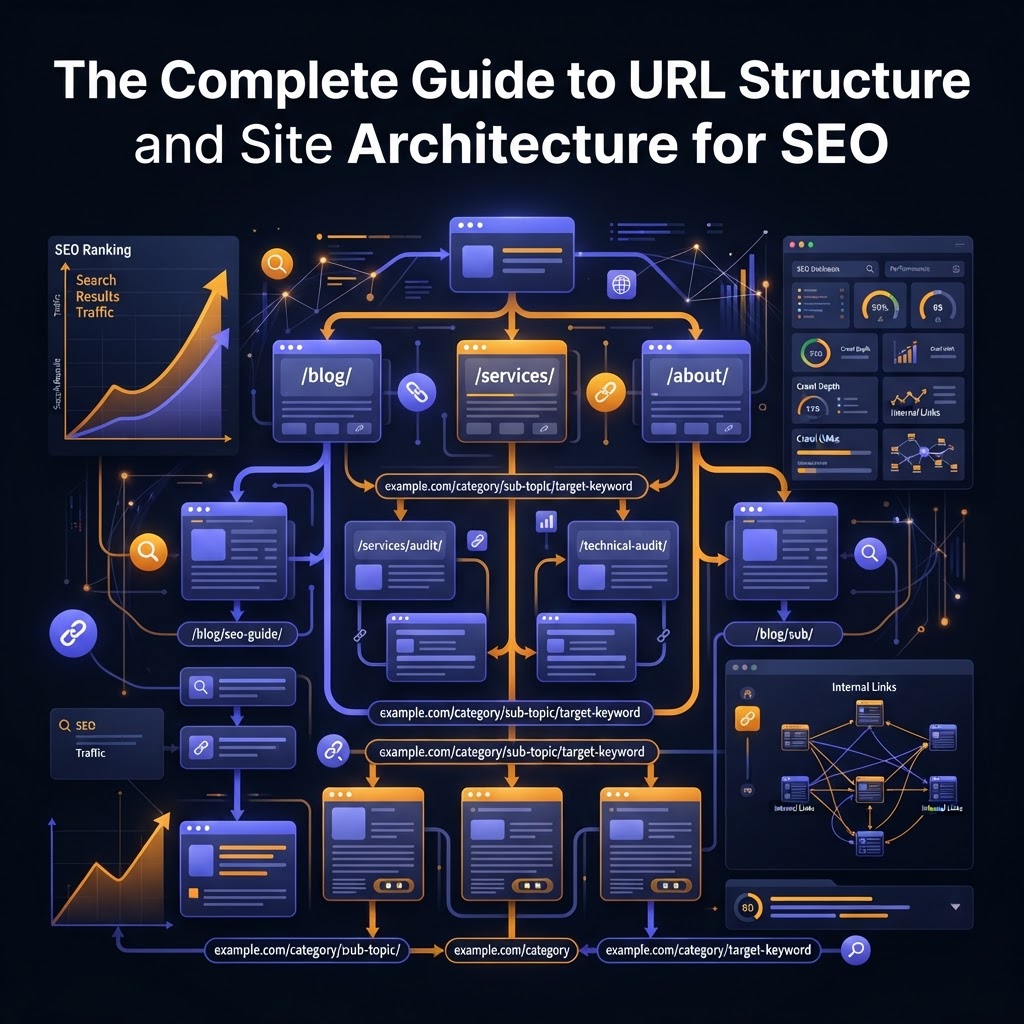
Site architecture refers to how your pages are organized and prioritized. A logical structure helps users navigate and helps search engines understand which pages are most important.
1. The "3-Click Rule"
As a general rule of thumb, any page on your site should be reachable within three clicks from the homepage. Deeply buried pages often suffer from low "PageRank" and are crawled less frequently.
2. URL Structure Best Practices
Your URLs should be descriptive, lowercase, and use hyphens as separators. Avoid dynamic parameters (like ?id=123) whenever possible, as they are less user-friendly and can lead to duplicate content issues Technical SEO Audit - How to Do It in 14 Steps (Checklist Inside).
3. Strategic Internal Linking
Internal links distribute authority across your site. During your audit, look for "orphan pages"—pages that have no internal links pointing to them. These are virtually invisible to search engines.
Phase 3: On-Page Technical Elements
While often categorized under "On-Page SEO," these elements are technical in nature because they are often managed via your CMS or site-wide templates.
1. Title Tags and Meta Descriptions
- Title Tags: Keep them between 50-70 characters. Ensure every page has a unique title that includes the primary keyword The Complete Technical SEO Audit Checklist for Marketers.
- Meta Descriptions: While not a direct ranking factor, they influence Click-Through Rate (CTR). Aim for 120-160 characters The Ultimate 16-Step SEO Audit Checklist (+ Free Template).
2. Header Hierarchy (H1-H6)
Ensure each page has exactly one H1 tag that matches the main topic. Use H2 and H3 tags to break up subtopics logically. Avoid using headers for styling elements like your logo or sidebar menus.
3. Canonical Tags
Canonical tags tell Google which version of a page is the "master" copy. This is essential for preventing duplicate content issues caused by URL variations (e.g., example.com/page vs example.com/page?ref=social).
Phase 4: Performance and User Experience
Google’s Page Experience update made site speed and stability official ranking factors.
1. Core Web Vitals (CWV)
Focus on these three metrics:
- Largest Contentful Paint (LCP): Measures loading performance. Aim for 2.5 seconds or faster.
- Interaction to Next Paint (INP): Measures responsiveness. This replaced FID in 2024.
- Cumulative Layout Shift (CLS): Measures visual stability. Avoid elements jumping around as the page loads.
2. Mobile-Friendliness
With mobile-first indexing, Google primarily uses the mobile version of your content for indexing and ranking. Use the "PageSpeed Insights" tool to check if your site has elements that are too close together or text that is too small for mobile users.
3. HTTPS and Security
Security is a baseline requirement. Ensure your SSL certificate is valid and that you don't have "mixed content" issues (where an HTTPS page loads images or scripts via HTTP).
Phase 5: The New Layer—Auditing for AI Search
In 2025, we must audit for more than just Googlebot. AI crawlers like GPTBot (OpenAI) and ClaudeBot (Anthropic) now browse the web to power AI search results and LLMs The Technical SEO Audit Needs A New Layer.
- Structured Data (Schema): Use JSON-LD schema to provide explicit clues to AI engines about your content type (Article, Product, FAQ, etc.). This increases your chances of appearing in AI-generated summaries.
- Data Cues: Well-structured metadata and clear heading hierarchies are now considered "data cues" that help AI models understand your topic hierarchy The Ultimate 16-Step SEO Audit Checklist (+ Free Template).
Essential Tools for Your Audit
You don't need a dozen tools to perform a high-quality audit. A focused stack is more effective:
- Google Search Console: The gold standard for seeing how Google views your site.
- Screaming Frog SEO Spider: Excellent for crawling your site and finding broken links, duplicate tags, and redirect chains.
- PageSpeed Insights: For deep dives into Core Web Vitals.
- AAA Backlinks: Useful for monitoring the health of your backlink profile and ensuring that technical errors aren't wasting your link-building efforts How To Find And Fix Broken Backlinks Mxv4 | AAA Backlinks.
Key Takeaways
- Crawlability First: If search engines can't crawl your site, your content won't rank. Check your
robots.txtand sitemaps first. - Fix Equity Leaks: Broken internal and external links waste ranking power. Audit these quarterly.
- Prioritize Core Web Vitals: Speed is a ranking factor and a conversion driver. Focus on LCP and CLS.
- Optimize for AI: Use structured data to ensure your content is understood by both traditional search bots and new AI crawlers.
- Consistency is Key: Perform a mini-audit monthly and a deep-dive technical audit at least twice a year How to Do an SEO Audit: The Ultimate Checklist.
FAQ
Q: How often should I perform a technical SEO audit?
A: For most sites, a comprehensive audit should be done every 6 months. However, if you frequently add new content or make site changes, a monthly "mini-audit" of crawl errors and broken links is recommended.
Q: Will fixing technical SEO issues give me an immediate ranking boost?
A: It depends. If you are fixing a major issue (like accidentally blocking your site in robots.txt), the boost can be significant and fast. For performance tweaks like site speed, the impact is often more gradual but leads to better long-term stability.
Q: Do I need to be a developer to do a technical audit?
A: No. While some fixes (like server-side optimizations) may require a developer, most SEOs can identify the issues using tools like Google Search Console and Screaming Frog. The audit is about diagnosis; the implementation can be a collaborative effort.
Tags