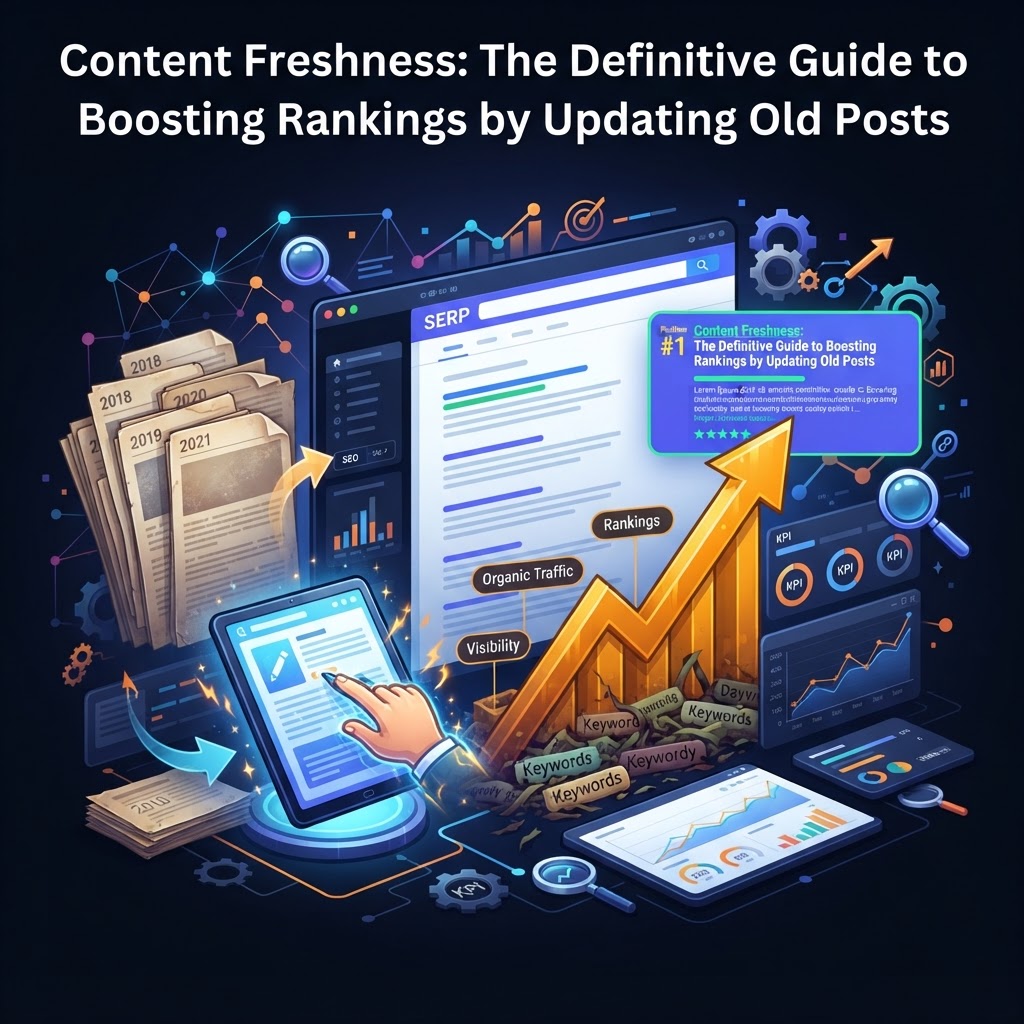
Content Freshness: The Definitive Guide to Boosting Rankings by Updating Old Posts
Learn why content freshness is a critical Google ranking factor and how to systematically update old blog posts to recover lost traffic and boost SEO rankings.
Content Freshness: The Definitive Guide to Boosting Rankings by Updating Old Posts
In the world of SEO, there is a silent killer of organic traffic known as Content Decay.
You spend weeks researching, writing, and promoting a masterpiece. It climbs to the first page of Google, stays there for a year, and then—slowly but surely—it begins to slide. By year two, it’s on page three, buried under newer, shinier competitors.
Many marketers respond by sprinting faster on the "content treadmill," churning out new posts to replace the lost traffic. But the most successful SEO strategists know a secret: Updating an old post often delivers a higher ROI than writing a new one.
According to industry data, updated posts can see a median increase of 106% in organic traffic, with some pages jumping an average of 4.6 positions in the SERPs after a single refresh cycle.
This guide will explain the mechanics of content freshness, why Google prioritizes it, and provide a step-by-step framework for reviving your decaying content.
What is Content Freshness? (The QDF Factor)
Content freshness is not just about the "Published On" date. It is a confirmed Google ranking factor that measures the relevance of a page based on its most recent substantive update.
Google uses a mechanism called QDF (Query Deserves Freshness). For certain searches, Google’s algorithm determines that a user wants the most up-to-date information possible. This is particularly true for:
- Trending Topics: Breaking news or viral events.
- Regularly Occurring Events: Annual conferences, sports scores, or "Best of 2025" lists.
- Information-Sensitive Topics: Technology reviews, medical advice, or regulatory compliance guides.
However, even for evergreen topics, freshness acts as a tie-breaker. If two articles are equal in authority and depth, Google will almost always favor the one that was updated six months ago over the one that hasn't been touched since 2019.
Why Updating Old Content Boosts Rankings
Refreshing content isn't just "tricking" the algorithm; it improves the actual quality signals Google looks for.
1. Improved Click-Through Rate (CTR)
When users see a search result from three years ago next to one from three months ago, they are statistically more likely to click the newer one. A higher CTR signals to Google that your result is more relevant, which can lead to a permanent ranking boost.
2. Information Gain and E-E-A-T
Google’s recent focus on E-E-A-T (Experience, Expertise, Authoritativeness, and Trustworthiness) means they reward "Information Gain." By adding new data, fresh case studies, or updated expert quotes to an old post, you demonstrate ongoing expertise and provide more value than the original version.
3. Technical Health and Link Equity
Old posts often suffer from "link rot" (broken outbound links) and outdated media. Refreshing a post allows you to fix these technical issues. Furthermore, an old post already has backlink equity. Instead of starting from zero with a new URL, you are leveraging the existing authority that page has built over years.
How to Identify Which Posts to Refresh
You shouldn't update every post on your site. You need to be strategic. Use Google Search Console (GSC) to find your "Refresh Targets."
The "Low-Hanging Fruit" Strategy
Look for pages that rank in positions 4 through 15 for their primary keywords. These pages are on the cusp of high-traffic glory. A 10% improvement in content quality could be enough to push them into the top 3.
The "Decaying Giants" Strategy
Filter your GSC data to compare the last 6 months of traffic to the same period the previous year. Identify pages with the largest drop in clicks. These are your highest priority for a refresh because they have already proven they can rank; they’ve just lost their edge.
The Step-by-Step Content Refresh Workflow
Once you’ve identified a target, follow this authoritative workflow to ensure your update moves the needle.
1. Re-Analyze Search Intent
Search intent can shift over time. Search for your target keyword in an incognito window.
- Are the top results now video-heavy?
- Are they providing "how-to" guides while yours is a "listicle"?
- Check the "People Also Ask" section. If there are new questions appearing there that your article doesn't answer, you have a content gap.
2. Update Facts, Stats, and References
Nothing kills authority faster than a statistic from 2018.
- Replace old data with the latest industry benchmarks.
- Swap out screenshots of software interfaces that have since changed.
- Check every outbound link. If a source is dead or outdated, replace it with a high-authority, recent reference.
3. Optimize for "Semantic" Keywords
Use tools like Ahrefs, Semrush, or even Google’s own related searches to find secondary keywords that didn't exist or weren't popular when you first wrote the post. Naturally weave these into your H2 and H3 subheadings.
4. Enhance the User Experience (UX)
Modern SEO is heavily influenced by user signals.
- Break up walls of text: Use shorter paragraphs (2-3 sentences).
- Add visual hierarchy: Use bullet points and numbered lists.
- Improve Page Speed: Compress large images that might be slowing the page down.
5. Strengthen Internal and External Links
Add internal links to newer content you’ve published since the original post. This keeps users on your site longer. Additionally, if the post is a high-value asset, consider a fresh link-building push. Using a service like AAA Backlinks can help you secure high-quality, niche-relevant links to signal to Google that this "refreshed" content is gaining new authority.
6. Update the Metadata and Date
Once the content is significantly improved (aim for at least a 20-30% change), update the "Published Date" in your CMS. Ensure your Meta Title reflects the current year (e.g., "Best SEO Strategies for 2026").
Common Mistakes to Avoid
- Changing the URL: Never change the URL slug unless it is absolutely necessary. If you do, you risk losing existing backlink equity and creating 404 errors. If you must change it, implement a 301 redirect immediately.
- "Date-Hacking": Do not simply change the date without changing the content. Google’s algorithms are sophisticated enough to recognize when the underlying HTML hasn't changed. This can lead to a manual penalty for deceptive practices.
- Ignoring the Lead: Most readers decide to stay or leave within the first two paragraphs. If your intro feels dated, the rest of the update won't matter.
Key Takeaways
- Freshness is a Tie-Breaker: Google favors recently updated content for both QDF queries and evergreen topics.
- Prioritize by Potential: Focus on pages ranking in positions 4-15 or those showing a clear downward trend in traffic.
- Quality Over Date: A meaningful update includes new data, better UX, and answered "People Also Ask" questions.
- Leverage Existing Authority: Updating an old URL keeps your hard-earned backlinks intact while giving the page a second life.
Frequently Asked Questions
Q: How often should I refresh my top-performing posts?
A: For highly competitive or fast-moving industries (like Tech or Finance), an annual refresh is recommended. For more stable niches, every 18–24 months is usually sufficient, or whenever you notice a 10-15% dip in traffic.
Q: Should I delete old content that isn't worth updating?
A: Yes. This is called "Content Pruning." If a post has zero traffic, zero backlinks, and no longer fits your brand, deleting it (or redirecting it to a relevant category page) can improve your site's overall "crawl budget" and topical authority.
Q: Does changing the 'Published Date' actually help?
A: Yes, but only if the content has been substantially updated. The date change signals to Google to re-crawl the page, and the updated timestamp in the SERPs improves user click-through rates.
Tags